
File is Protected
Please enter the password to unlock this PDF
Free PDF Editor Online & ID Card Cropper
Add bold text, crop ID cards exactly to CR-80 size, and unlock PDFs securely!
Select Or Drag & Drop PDF Here
100% Secure. Files are processed locally. Password PDFs supported.
Generate PDF
Generate HD preview in iFrame.
Final A4 Preview
The Best Free PDF Editor Online for All Your Document Needs
Need to fill out a PDF form, add your signature, or place a watermark? The OnlineSuru Free PDF Editor Online is the most secure and fast way to annotate your PDF (Portable Document Format) files directly in your web browser. Whether you want to add text to PDF, insert custom watermarks, or crop specific sections, our tool handles it all instantly without requiring any software installation.
Unlike other platforms, your sensitive documents, including ID cards, are never uploaded to our servers. All processing, including password unlocking and text rendering, happens locally on your device. This ensures 100% privacy and security for your personal data. You can easily use our ID Card Cropper tool to cut to precise CR-80 dimensions and generate print-ready A4 sheets in seconds.
3 Easy Steps to Edit & Crop PDFs
Fast, secure, and exact CR-80 card processing directly in your browser. Pro PDF Tool
How to Edit a PDF File Online & Crop ID Cards:
- Upload Your File: Click the upload button or drag and drop your PDF document to load it into our secure viewer. Even password-protected PDFs are supported!
- Navigate Pages: Use the next and previous arrows to easily scroll through your document and find the exact page you need to edit.
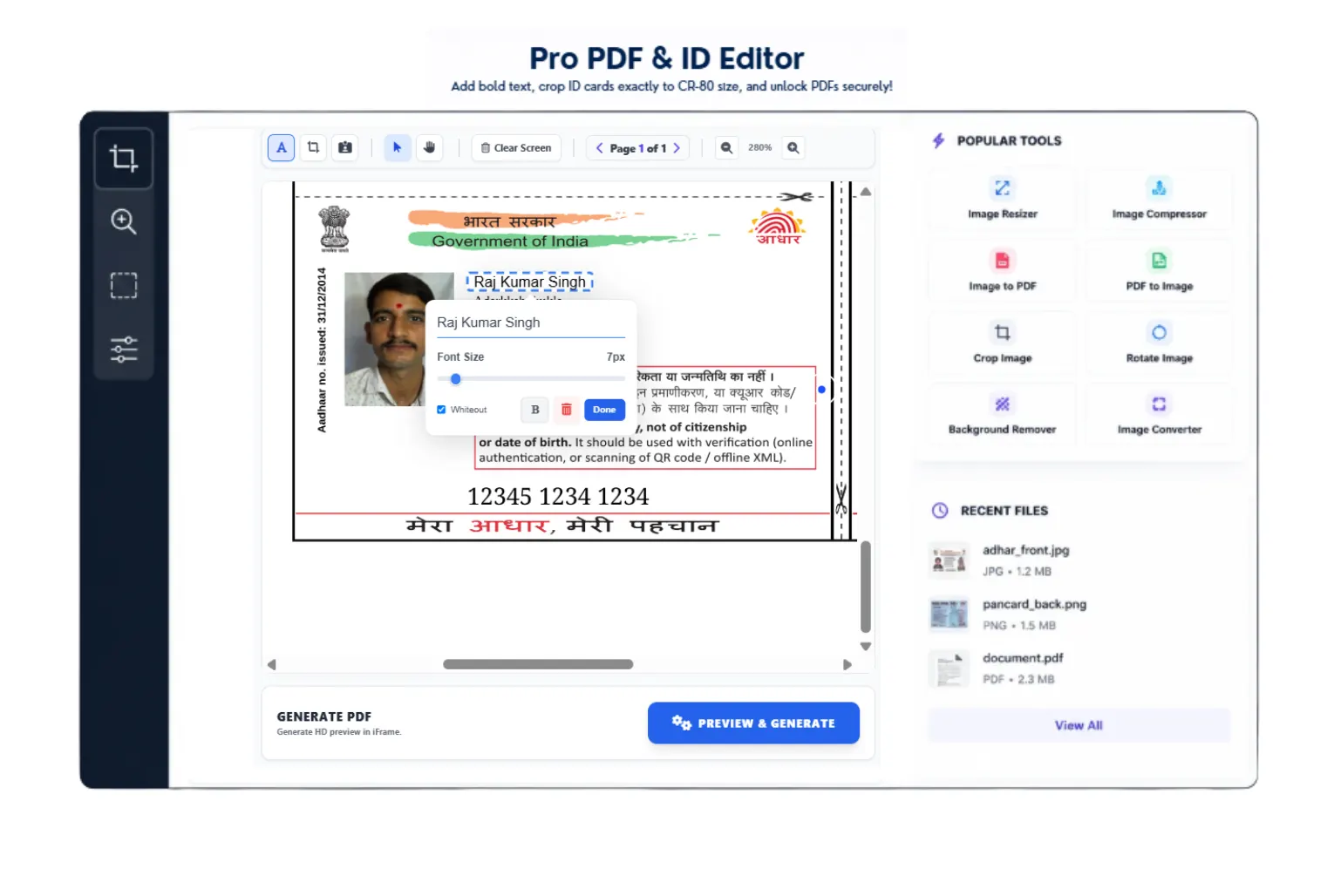
- Add Text & Signatures: Select the 'Text' tool and click anywhere on the page to instantly add text. You can adjust the font size, make it bold, or use the whiteout feature to hide existing text.
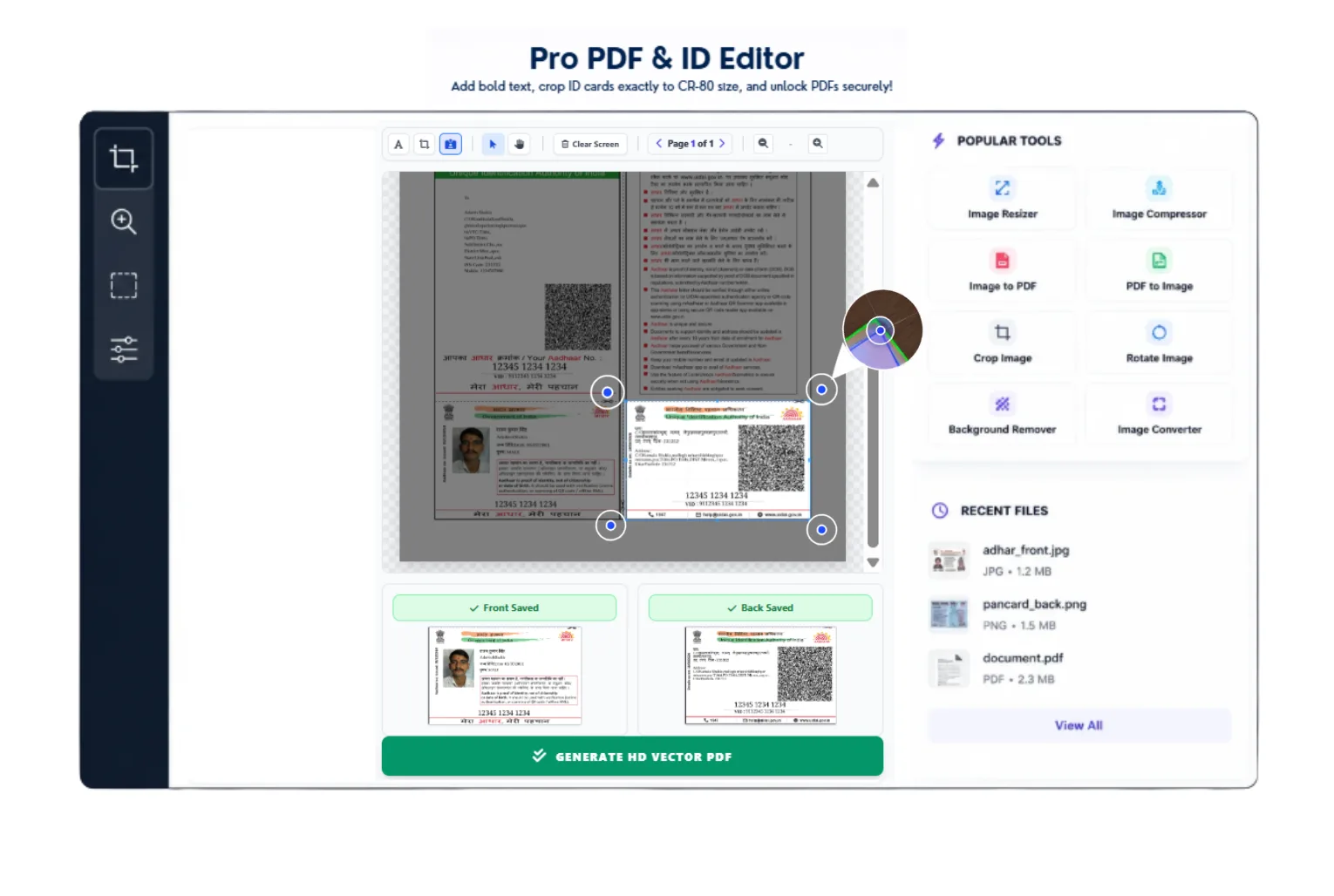
- Smart ID Card Crop: Need to print an ID card? Select the front side, click 'Set Front', then select the back side and click 'Set Back' to perfectly align them.
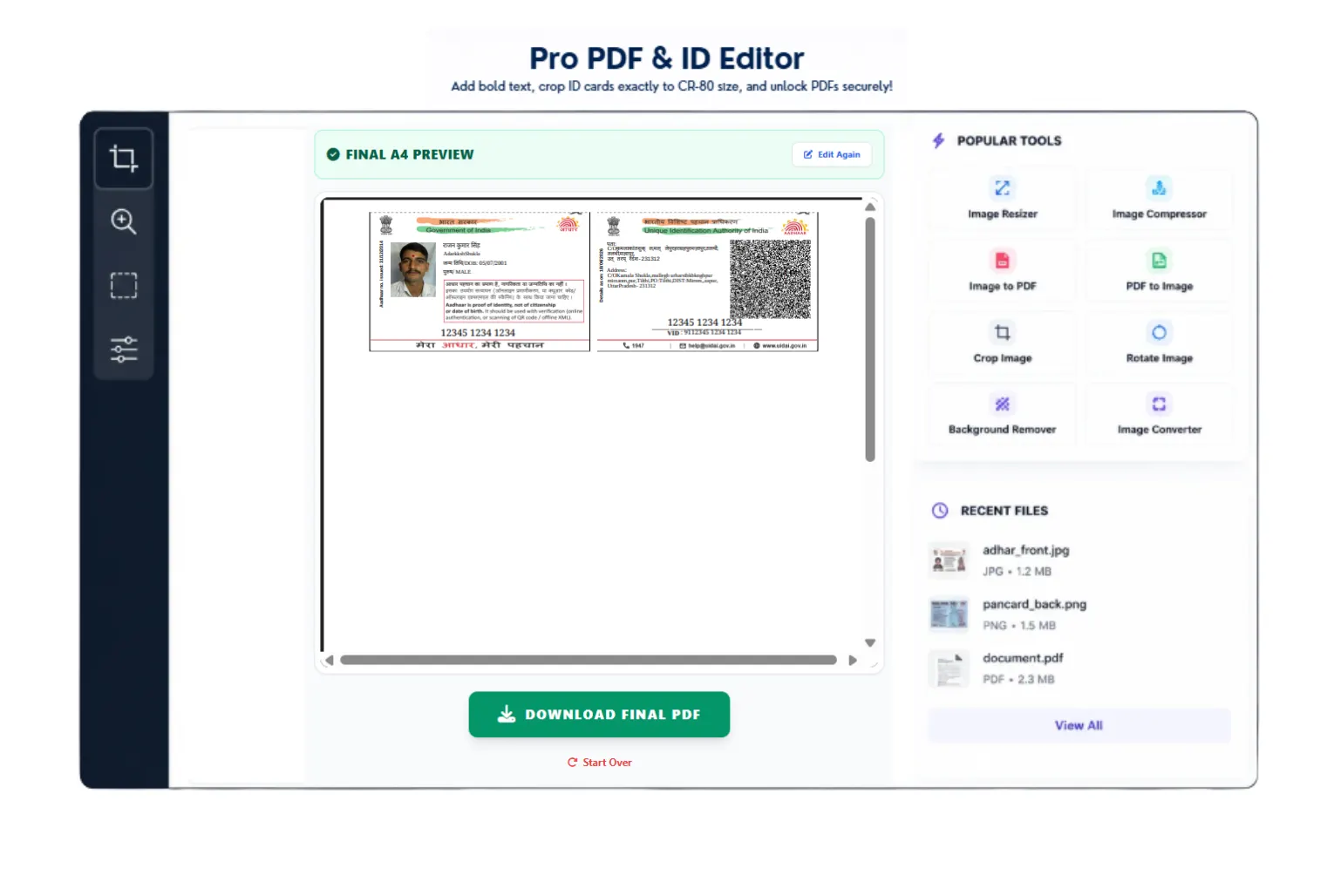
- Generate & Export: Click "Preview & Generate". The tool will process everything in HD Vector quality and provide a perfectly formatted A4 sheet ready for download and printing.
Why Choose Our Online PDF Tool?
Managing digital documents can be a hassle, especially when dealing with official forms or scanned IDs that need precise formatting. Our free PDF editor online bridges the gap by offering professional-grade features completely free of charge. From fixing native font matras correctly to applying aggressive signature extraction, our engine guarantees crystal-clear print quality every single time.