
Create Passport Size Photo Online Free
Welcome to OnlineSuru Image Tool - Your Reliable Solution for Passport Size Images!
Select Or Drag & Drop Image Here
Supports JPG, PNG, WEBP (Max 20MB)
AI Photo Enhancer
Super Sharpness & Auto Relight
Photo Border
2px Black Stroke
Cutting Guides
Premium Corner Marks (L-Shape)


OnlineSuru PASSPORT PHOTO MAKER
Best Free Online Passport Photo Maker - Create 3.5CM X 4.5CM in Seconds Passport photo software
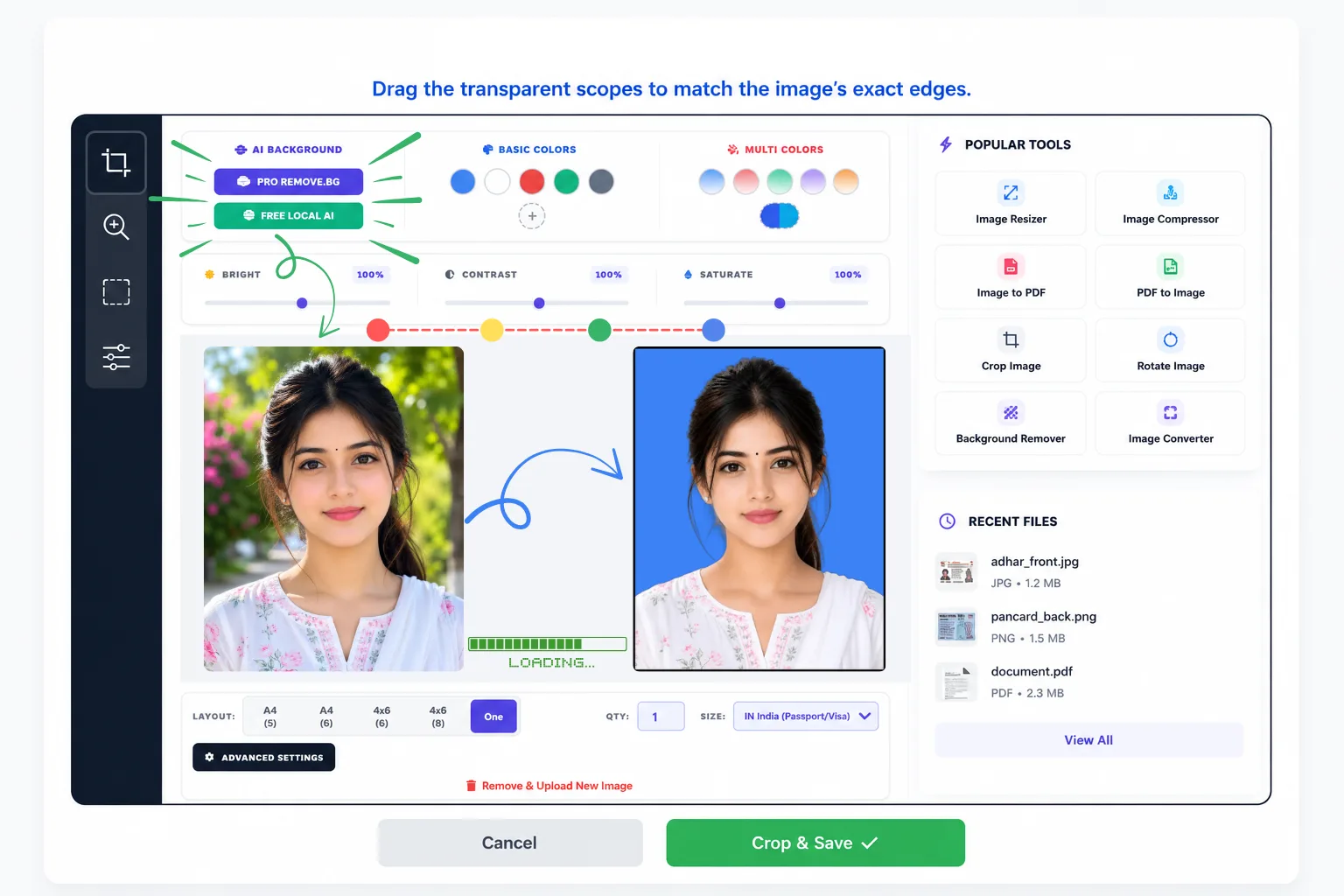
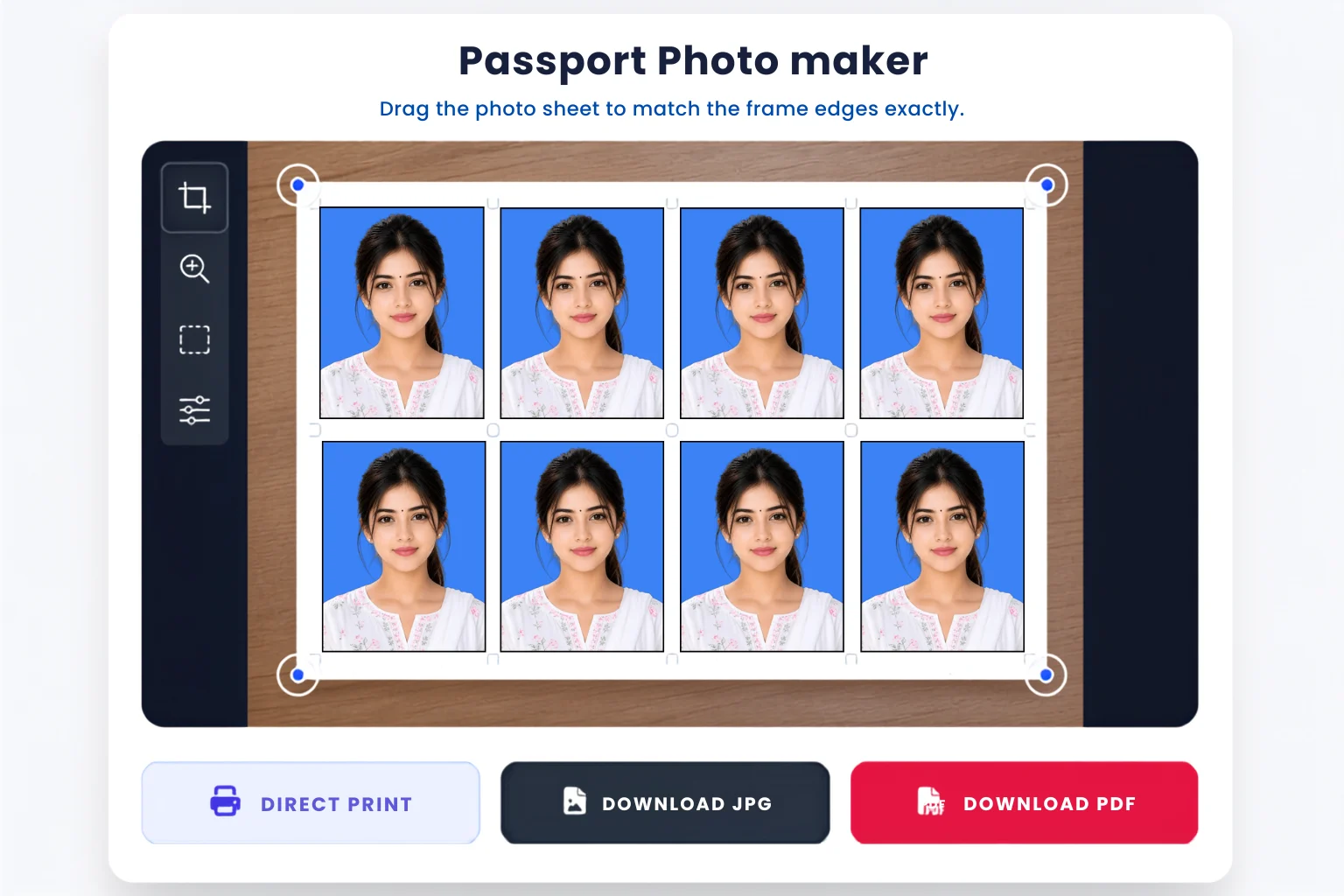
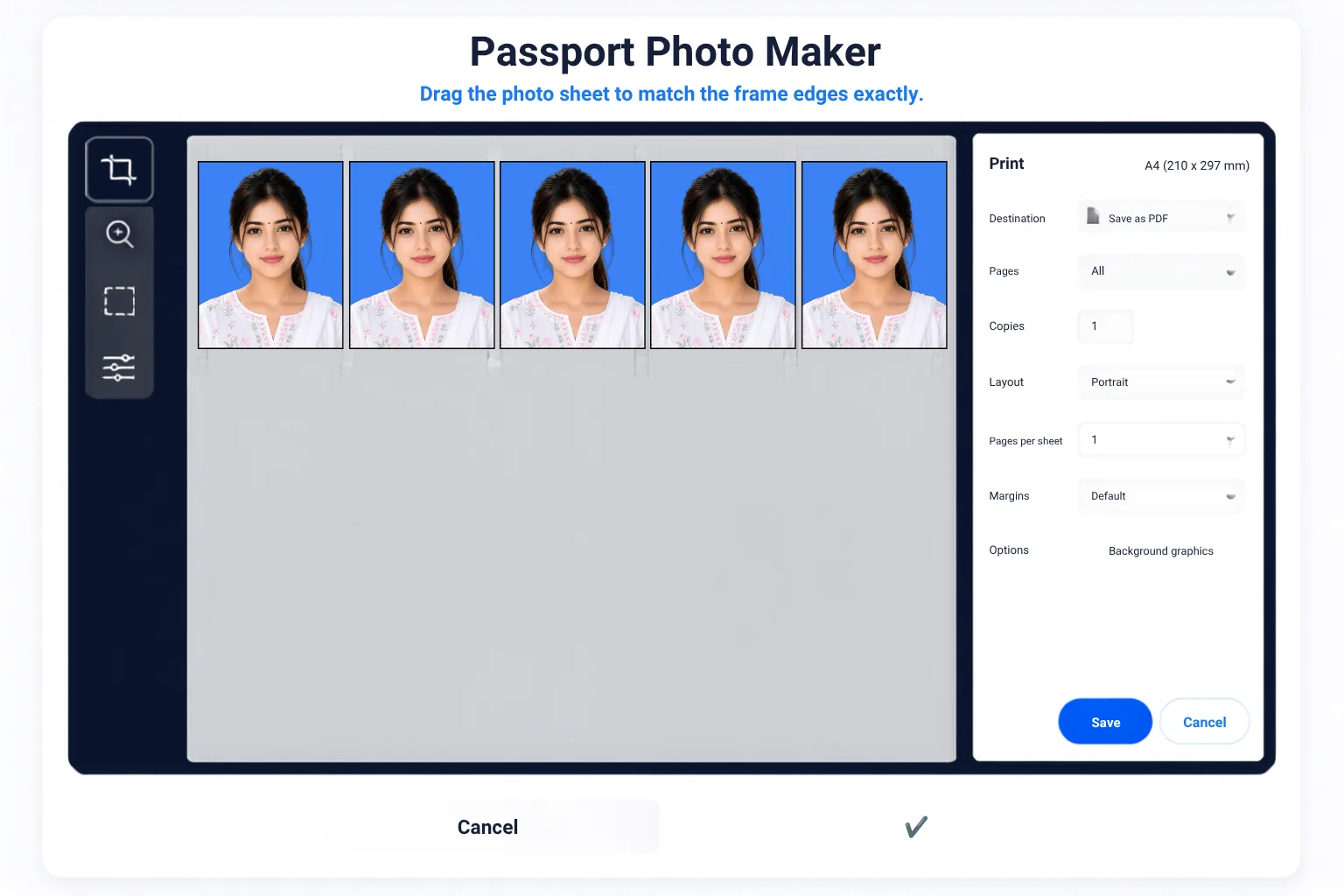
Create repeated passport size photo layouts on a single A4 or 4x6 page. Perfect for CSC centers and home printing to save costs instantly.
Our advanced smart passport photo tool automatically adds perfect spacing and premium L-shape corner marks for easy cutting.
Now you can create passport size photo online free and download your sheet in high-quality PDF format for 100% accurate printing.
Change messy backgrounds to solid Blue, White, or custom colors in just one click using our integrated ai passport photo maker free engine.
अगर आप सोच रहे हैं कि मोबाइल या कंप्यूटर से passport photo kaise banaen, तो यह टूल आपके लिए सबसे सुरक्षित है। आपकी फोटो पूरी तरह आपके ब्राउज़र में प्रोसेस होती है और हम कोई भी डेटा सर्वर पर स्टोर नहीं करते हैं।
Passport Size Photo Kaise Banaye?
इस वीडियो को ध्यान से देखें और सीखें कि कैसे आप बिना किसी सॉफ्टवेयर के, सिर्फ 2 मिनट में अपनी परफेक्ट पासपोर्ट साइज़ फोटो और A4 शीट तैयार कर सकते हैं।
If your photo, signature, or document is not accepted, send your requirements on WhatsApp. We can help prepare the final file online.
Best Free Online Passport Size Photo Maker & A4 Sheet Generator
Welcome to the internet's most advanced and 100% free online passport photo maker. Whether you are applying for a government job, university admission, passport renewal, OCI card, or an international visa, getting the exact photo dimensions is critical. Even a millimeter of error can cause your application to be rejected.
Our tool replaces expensive photo studio software like Photoshop. Designed specifically for Common Service Centers (CSC VLEs), cyber cafes, and everyday users, this passport size photo maker online free tool provides a complete digital studio right in your browser. From AI background removal to premium L-shape cutting guides, we have integrated every pro feature you will ever need.
Ultimate AI & Editing Features
-
Dual AI Background Removal (Pro API & Free Local AI) Our tool offers two powerful engines. Use the 'Pro Remove.bg' API for instant cloud-based transparent backgrounds, or use our 'Free Local AI' (Modnet) that works entirely within your browser for ultimate privacy.
-
Advanced Color Palettes (Solid & Gradient) Unlike basic tools, we allow you to change the background to official standard colors (Blue, White, Red, Green, Gray). We also feature a Custom Color Picker and Premium Multi-Color Gradients for ID cards and creative profiles.
-
Manual Tuning (Brightness, Contrast, Saturation) Did you click a dark photo? Use our premium tuning sliders to adjust Brightness up to 150%, fix Contrast, and enhance Saturation (up to 200%) for a perfectly exposed print-ready photo.
-
AI Photo Enhancer (Auto Relight) Hidden in our 'Advanced Settings', this feature applies Super Sharpness and Auto Relight filters to instantly boost photo clarity and professional contrast before printing.
Pro Layout & Printing Engine
-
Multiple Print Layouts (A4 & 4x6) Select between A4 (5 columns or 6 columns) to print up to 36 copies, or choose the 4x6 layout (6 or 8 copies). You can also download a single isolated photo. Control exact quantities with our manual Qty input.
-
Premium Cutting Guides (L-Shape Marks) Cutting photos with scissors can ruin the edges. Enable our 'Cutting Guides' to automatically print light-grey L-shape corner marks for precise scissor or paper-cutter trimming.
-
Auto 2px Black Stroke Border Apply an official 2-pixel black border to your photographs instantly. This is mandatory for many government forms and adds a highly professional finish to your passport pictures.
-
Direct Print, JPG & High-Res PDF Export Don't lose quality! Generate a live preview and download your final sheet in 100% quality JPG or a scalable PDF. Or use the 'Direct Print' button to send the sheet straight to your Epson/Canon/HP printer without downloading.
Passport Size Photo Kaise Banaye Online - Guide
Select any JPG/PNG up to 20MB. Selfies work too, just look straight.
Choose country (e.g. India 3.5x4.5 cm). The cropper locks the exact aspect ratio.
Click AI Background remover, apply blue/white color, and adjust brightness.
Select A4 or 4x6 layout, set copies, click generate, and download PDF/JPG.
Official Dimensions & Pixel Chart (at 300 DPI)
| Country / Document | Physical Size (cm/mm/inch) | Digital Resolution (Pixels) |
|---|---|---|
| India (Standard Passport / Visa) | 3.5 x 4.5 cm (35 x 45 mm) | 413 x 531 px |
| India (OCI Card / US Standard) | 2 x 2 inch (51 x 51 mm) | 600 x 600 px |
| UK / Europe / Australia | 3.5 x 4.5 cm (35 x 45 mm) | 413 x 531 px |
| UAE (Dubai) Passport | 4.3 x 5.5 cm (43 x 55 mm) | 508 x 650 px |
| China Visa | 33 x 48 mm | 390 x 567 px |
| Custom Size Tool | Input your own MM (Width x Height) | Auto-calculated by Tool |
Frequently Asked Questions (FAQs)
1. How to make a passport size photo on mobile?
Our website is highly mobile-responsive. Open the site in Chrome/Safari, upload your photo, select size, remove background, and generate an A4 sheet. No APK or app installation is required.
2. What is the difference between Pro Remove.bg and Free Local AI?
Pro Remove.bg uses a cloud API for ultra-precise hair cutting but requires internet. Free Local AI uses a browser-based Modnet model that works securely on your device without sending data to servers.
3. How many passport photos fit on an A4 sheet?
Using our A4 (6) layout, you can fit up to 36 passport photos (3.5x4.5 cm) on a single A4 page. With the A4 (5) layout, you get 30 well-spaced photos perfect for easy scissor cutting.
4. Is my photo data safe? Are images saved on the server?
Absolutely. Privacy is our top priority. The cropping, color adjustments, and PDF generation happen directly inside your browser. We do not store or save your ID photos on our servers.
5. What does the "Cutting Guides" feature do?
When enabled in 'Advanced Settings', it prints small L-shaped grey marks at the corners of each photo. This acts as a ruler guide, making it incredibly easy to cut photos straight using scissors.
6. How can I create a 2x2 inch photo for a US Visa?
In the "Size" dropdown menu, select "US US (Visa/Passport)". The cropper will automatically lock the aspect ratio to a perfect 1:1 square (600x600 pixels) required for US visas and Indian OCI cards.
7. Can I download the photo sheet in PDF format?
Yes! After clicking "Generate Photo Preview", you will see a "Download PDF" button. Our engine uses jsPDF to generate a high-resolution, print-ready PDF that maintains true 300 DPI quality.
8. What is the AI Photo Enhancer (Auto Relight)?
If your original photo looks dull or flat, enabling this advanced setting automatically applies a custom filter matrix (Brightness 1.05, Contrast 1.1, Saturation 1.1) to make the printed face pop and look studio-quality.
9. How to add a Black Border to the passport photo?
In the Advanced Settings panel, turn on the "Photo Border" toggle. It automatically draws a crisp, professional 2px black stroke inside the edges of every generated photo.
10. Can I create a custom photo size not listed in the menu?
Yes. Select "Custom Size (mm)" from the dropdown list. Two input boxes will appear where you can manually type the Width (W) and Height (H) in millimeters. The cropper will instantly adjust to your custom ratio.
11. Why use a gradient background for photos?
While solid white or blue is required for official passports, gradient backgrounds (Multi Colors) are highly popular for corporate ID cards, school profiles, and resumes as they give a premium 3D depth to the portrait.
12. Does the tool support 4x6 photo paper?
Yes. If you own a small inkjet printer that prints on 4x6 inch paper, select the "4x6 (6)" or "4x6 (8)" layout. The generator will properly arrange 6 or 8 passport photos optimized for a 4x6 canvas.
Successfully Downloaded!
Your HD Passport Sheet has been saved.