
Free WhatsApp Image Editor - Enhance & Straighten Docs
Straighten skewed documents, fix Photoshop errors, enhance dark photos, and merge ID cards for A4 print!
Best WhatsApp Image Editor & Document Enhancer
Welcome to the ultimate solution for all your document formatting needs. If you run a cyber cafe, a CSC center, or simply need to print official documents sent via mobile, you have likely faced the frustration of low-quality, skewed, or incompatible files. Use our Free WhatsApp Image Editor online to easily enhance and straighten docs, fix Photoshop errors instantly, and arrange your photos for perfect A4 printing.
OnlineSuru WhatsApp Image Editor
Best Free Online Document Enhancer - Fix & Print in Seconds WhatsApp Fixer
Why Do WhatsApp Images Fail to Open in Photoshop?
When you receive an image through WhatsApp, the platform heavily compresses the file to save bandwidth and speed up message delivery. During this compression process, it often strips essential EXIF data and alters the file's internal structure. This leads to the infamous "unknown JPEG marker type" error when you try to open these files in professional image editing software like Adobe Photoshop or CorelDraw. Our tool automatically regenerates the correct headers and markers in the background, making your files 100% compatible instantly—without requiring any manual format conversion.
Powerful Features for CSC VLEs & Cyber Cafes
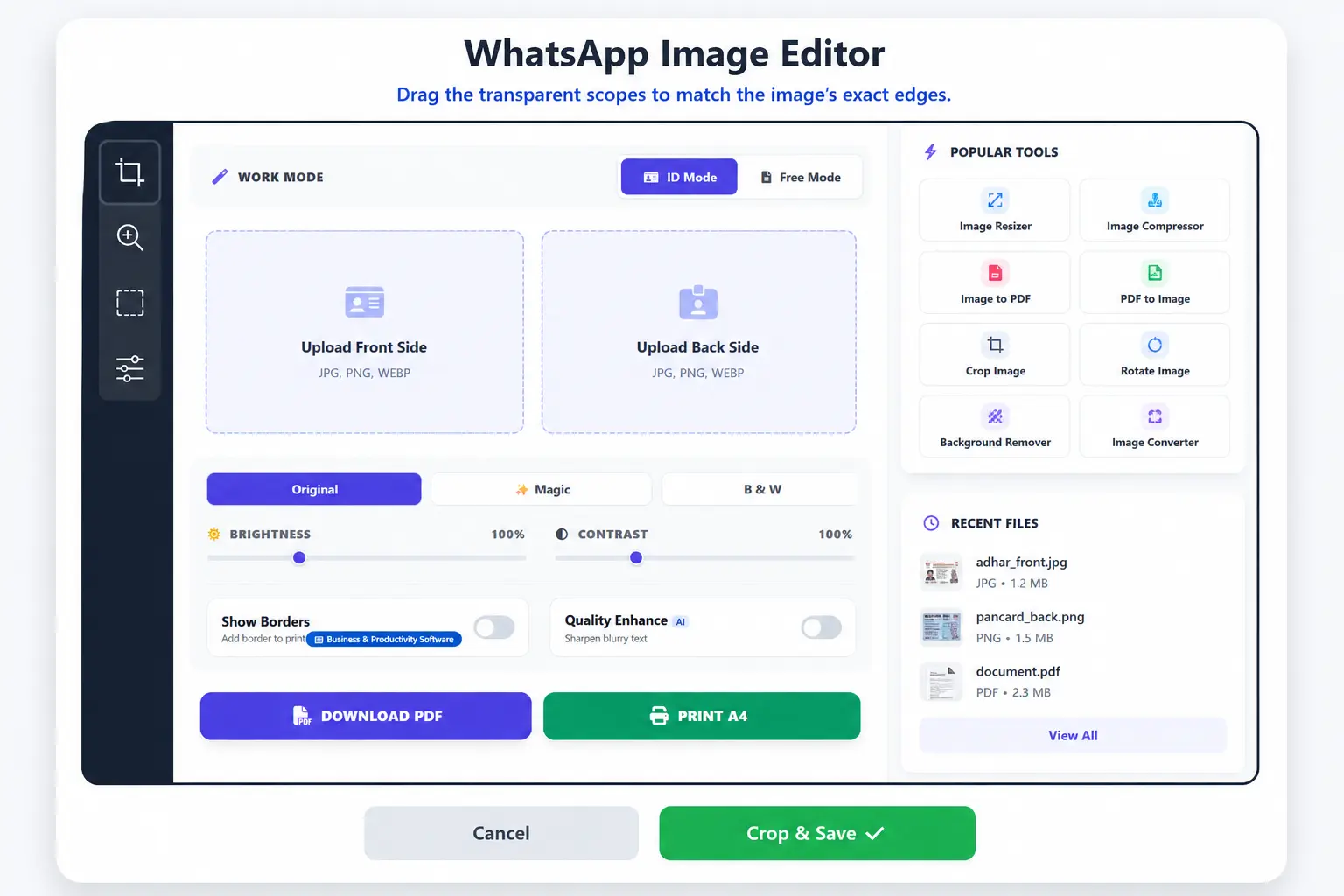
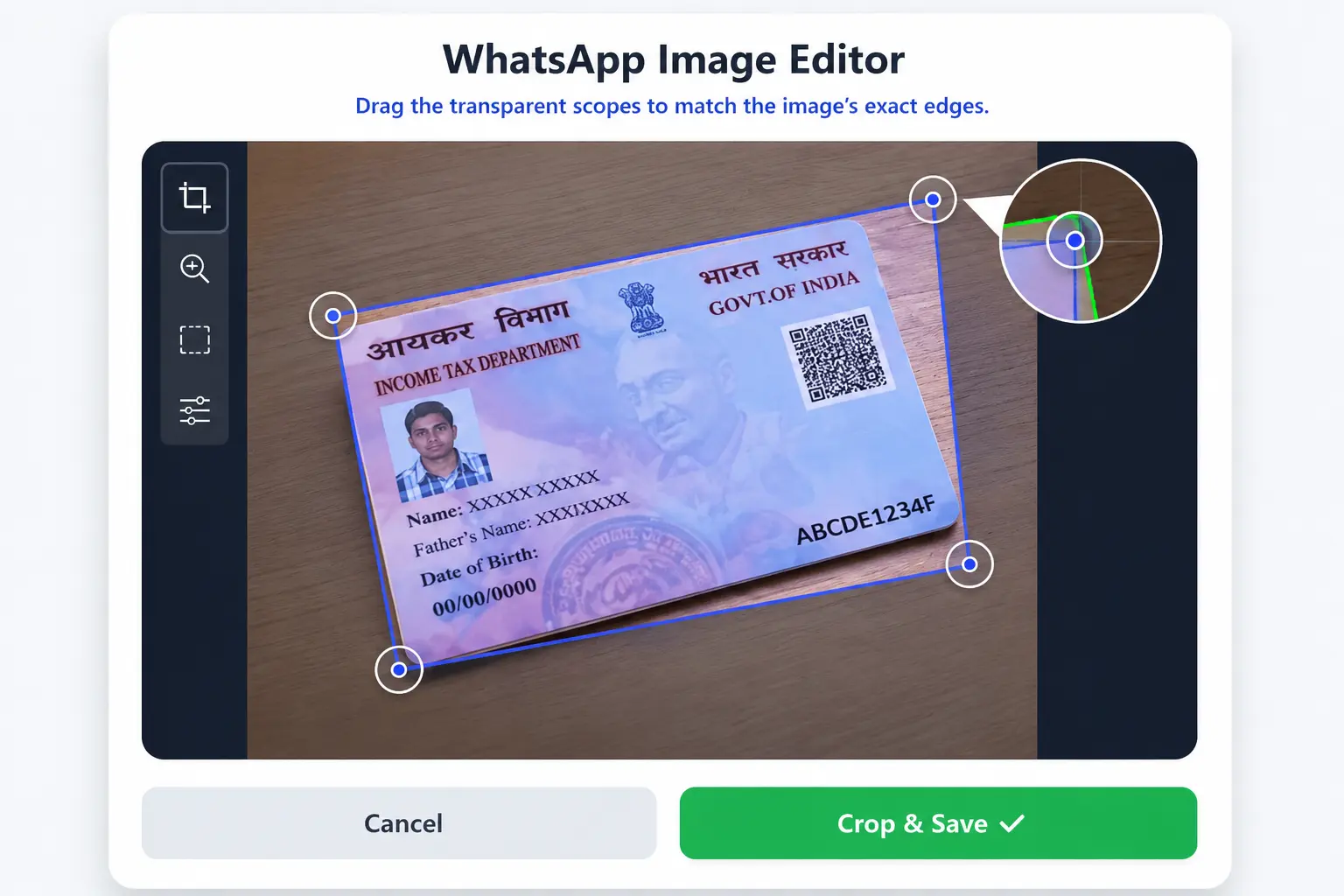
- Smart Perspective Crop (Deskew): Crooked photos clicked from a mobile phone angle? No problem. Use our 4-point transparent scope handles to select the exact corners of the document. The built-in OpenCV engine will magically flatten and straighten it as if it were scanned on a flatbed machine.
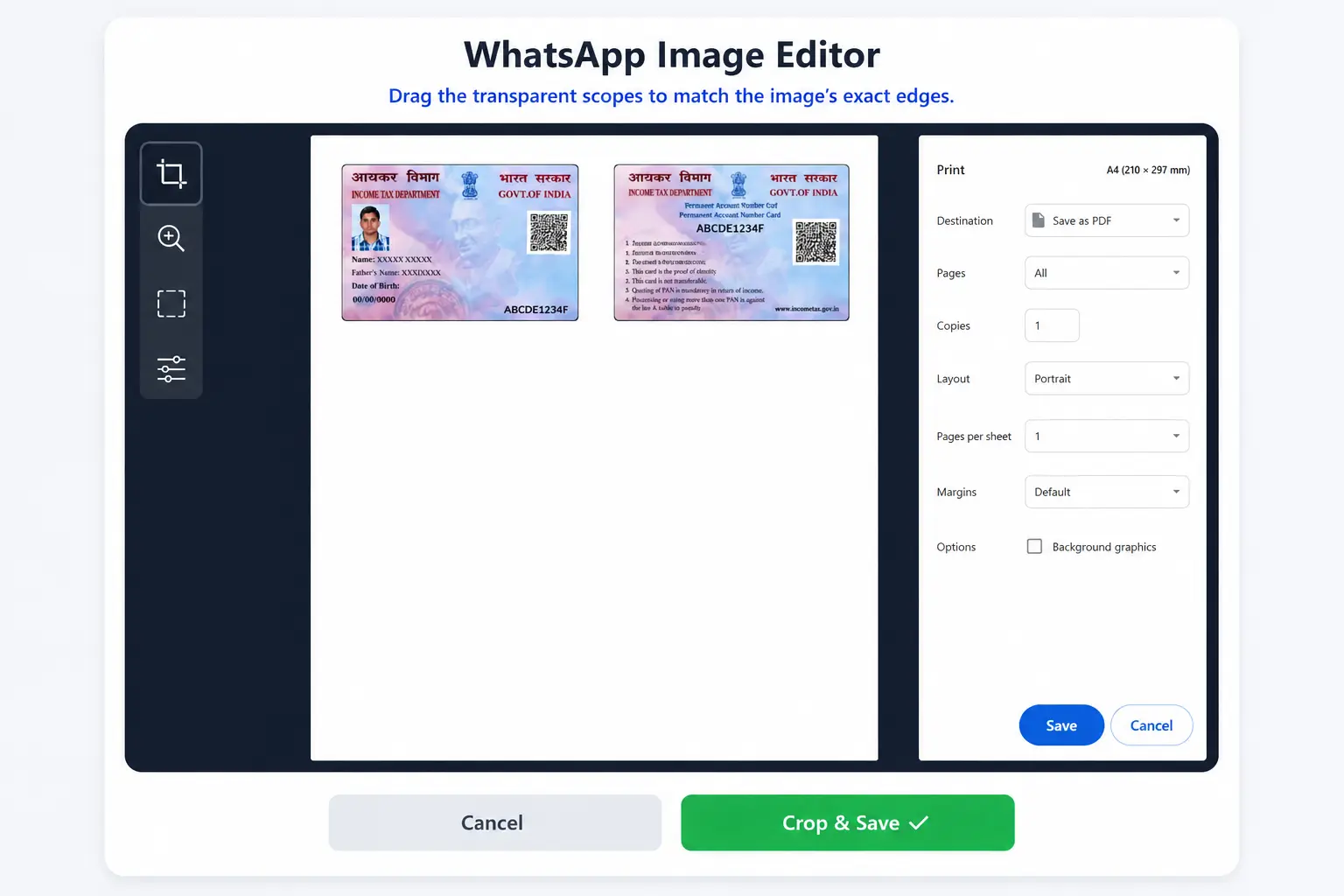
- Perfect A4 Print Alignment: Forget the hassle of dragging and resizing images in MS Word. Select "ID Mode" to automatically place the front and back sides of an Aadhar card, PAN card, or Voter ID exactly at the top of an A4 sheet.
- AI Quality & Magic Enhancer: Struggling with dark, shadowy photos? Click the "Magic" button to instantly adjust contrast and brightness, or use the "B&W" filter for crisp black-and-white photocopies. The AI Quality toggle sharpens blurry text for maximum readability.
- HD PDF Export: Download your finalized document as a high-definition PDF file using the robust PDF-Lib engine, ensuring zero quality loss when you hit the print button.
- 100% Privacy & Security: We respect your sensitive documents. All image processing, cropping, and PDF generation happen directly inside your web browser (Client-Side). No files are ever uploaded to or stored on our servers.
How to Use the WhatsApp Image Enhancer?
- Select Your Mode: Choose "ID Mode" if you are working with double-sided cards (like Aadhar or Driving License). Choose "Free Mode" for full-page documents (like Marksheets or Certificates).
- Upload the Image: Click on the designated upload area and select the image you received via WhatsApp.
- Adjust the Corners: A smart crop window will appear. Drag the four corner handles to perfectly outline your document. The zoom magnifier bubble will help you select the exact edges with pixel-perfect precision. Finally, click "Crop & Save".
- Apply Enhancements: Use the Brightness and Contrast sliders to fine-tune the image, or simply click the "Magic" filter for a one-touch fix. Toggle the "AI Enhance" switch if the text is blurry.
- Print or Download: Once you are satisfied with the preview, click "Download PDF" to save it, or "Print A4" to send it directly to your printer with exact physical dimensions.
Frequently Asked Questions (FAQs)
Is this WhatsApp Image Editor completely free to use?
Yes, the OnlineSuru WhatsApp Image Editor is 100% free. There are no hidden charges, watermarks, or subscription fees. It is custom-built to help students and cyber cafe owners streamline their daily document printing workflow.
Does this fix the Photoshop "JPEG marker" error permanently?
Absolutely. By uploading your corrupted WhatsApp image here and simply downloading it as a PDF or saving the preview, the tool completely rewrites the image data. This bypasses the missing markers and allows it to open flawlessly in any professional software.
Can I use this document deskew tool on my mobile phone?
Yes! The tool is fully responsive and mobile-friendly. The unique touch-friendly magnifier bubble allows you to accurately select document corners even on smaller smartphone screens without your finger blocking the view.
Are my uploaded Aadhar cards and IDs safe?
Data security is our highest priority. The OpenCV image processing and PDF-Lib generation scripts run locally within your web browser. This means your personal documents never leave your device and are never saved on any external web server.
What is the difference between ID Mode and Free Mode?
ID Mode provides two upload boxes (Front and Back) and aligns them automatically to the standard CR-80 dimensions (85.6mm x 54mm) side-by-side on an A4 layout. Free Mode gives you a single, full-page canvas, which is ideal for standard letter or A4 size documents like resumes, land records, or scanned certificates.
Adjust Corners to Crop
Drag the transparent scopes to match the document's exact edges.