
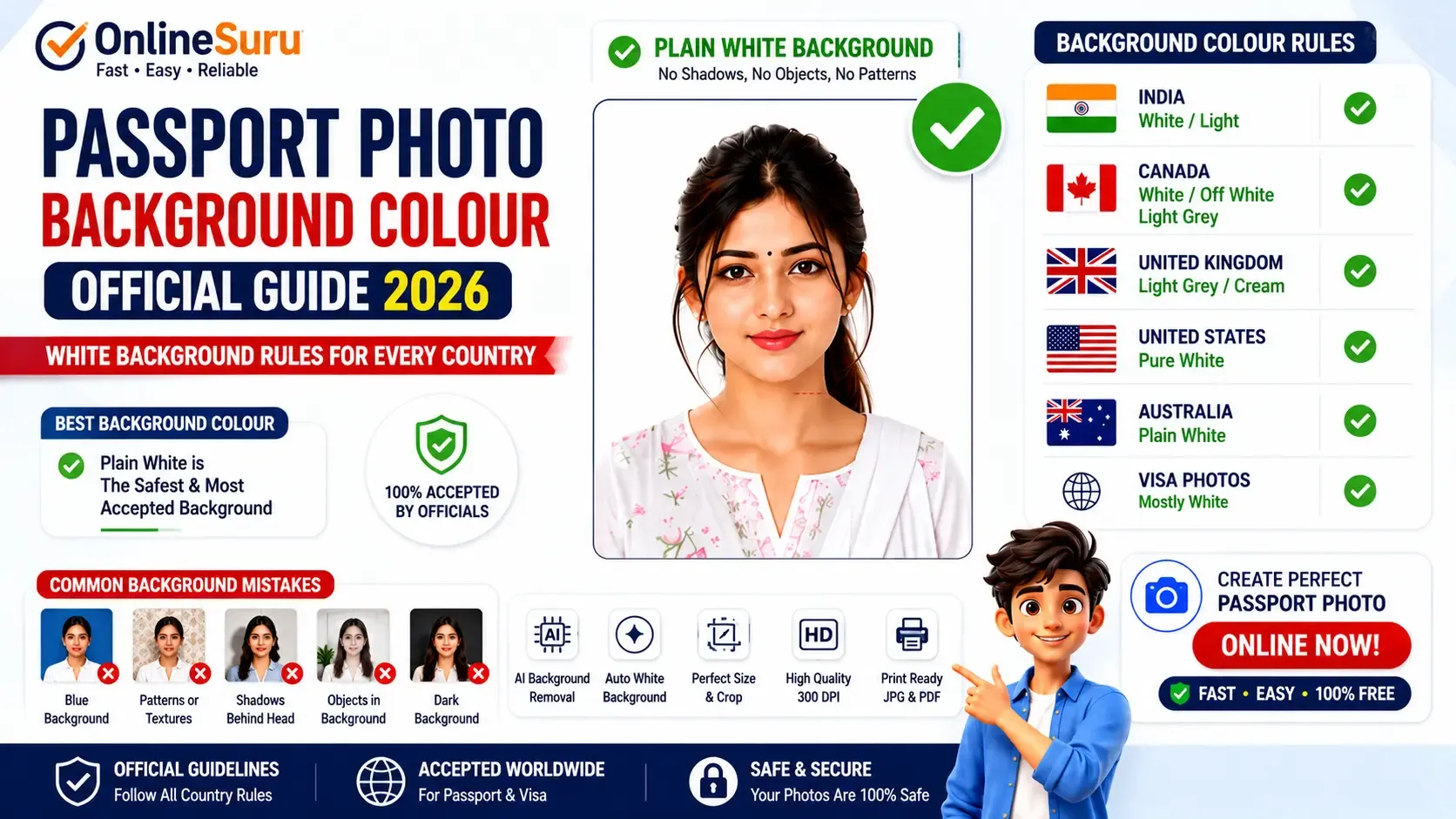
Passport Photo Background Colour (2026): Official White Background Rules for Every Country
| Country | Background |
|---|---|
| India | White / Light |
| USA | White |
| Canada | White / Light |
| UK | Light Grey / Cream |
| Australia | White |
| Visa Photos | Mostly White |
Introduction
One of the most common reasons passport photographs are rejected is the use of an incorrect background colour. Many applicants pay close attention to the photo size but overlook the background, even though it is just as important. A passport photo with the correct dimensions can still be rejected if the background does not meet the official requirements.
While passport photo guidelines vary slightly from one country to another, one rule remains consistent across most countries: the background must be plain, clean, evenly lit, and free from shadows, patterns, or distracting objects. A clear background helps passport authorities accurately identify the applicant and ensures the photograph meets biometric standards.
In this comprehensive 2026 guide, you'll learn the official passport photo background colour requirements for India, the United States, Canada, the United Kingdom, Australia, and many other countries. We'll also explain common mistakes to avoid, answer frequently asked questions, and show you how to remove your photo background and create a professional passport photo in seconds using the OnlineSuru Passport Photo Maker.
Why Background Colour Matters
Passport offices use facial recognition technology to verify identity.
A clean background helps the software accurately detect your face.
If the background contains shadows, furniture, colourful walls, patterns, or objects, your passport application may be delayed or rejected.
Official Passport Background Colours
India
Indian passport photos should have a plain white or light-coloured background.
Avoid:
- Blue walls
- Pattern wallpapers
- Furniture
- Outdoor backgrounds
- Dark shadows
USA
The United States Department of State requires a completely white background.
Requirements:
- Pure White
- No shadows
- No objects
- No texture
- No editing mistakes
Canada
Canada accepts:
- White
- Off White
- Very Light Grey
Background must remain plain without any visible shadows.
United Kingdom
The UK Passport Office recommends:
- Light Grey
- Light Cream
Avoid bright white overexposure.
Australia
Australia requires:
- Plain White
No objects or coloured walls should appear.
Common Background Mistakes
Many passport photos are rejected because of:
❌ Blue Background
❌ Green Background
❌ Curtain Behind
❌ Wall Texture
❌ Trees
❌ Window
❌ Chair
❌ Shadow Behind Head
❌ Artificial Blur
❌ Heavy Editing
Best Background Colour
The safest passport background colour is:
✅ Pure White
Because almost every country's passport office accepts white backgrounds.
AI Background Removal
Instead of visiting a photo studio, you can create a passport photo online.
OnlineSuru Passport Photo Maker automatically:
- Removes the background
- Replaces it with white
- Adjusts brightness
- Crops the face
- Creates passport-size layouts
- Generates JPG & PDF ready for printing
Frequently Asked Questions
Which background colour is best for passport photos?
White is the safest and most widely accepted background colour.
Can I use a blue background?
No.
Can I edit the background?
Yes, if it looks natural and meets official requirements.
Is off-white accepted?
Yes, in some countries like Canada.
Can I use AI background removal?
Yes, provided the final photo looks natural and follows official guidelines.
Related Guides
- Passport Photo Size India
- Passport Photo Size USA
- Passport Photo Size Canada
- Passport Photo Dress Guide
- Passport Photo Requirements
More Free Tools
🟢 Passport Photo Maker
🟢 Background Remover
🟢 Photo Resizer
🚀 Create Passport Photo Online Free
Create a passport photo with the correct white background, official size, high-quality resolution, and print-ready layout in just a few seconds using the OnlineSuru Passport Photo Maker.
Create Passport Photo NowIMPORTANT LINKS
| OPEN LINK | Click HereNEW |