
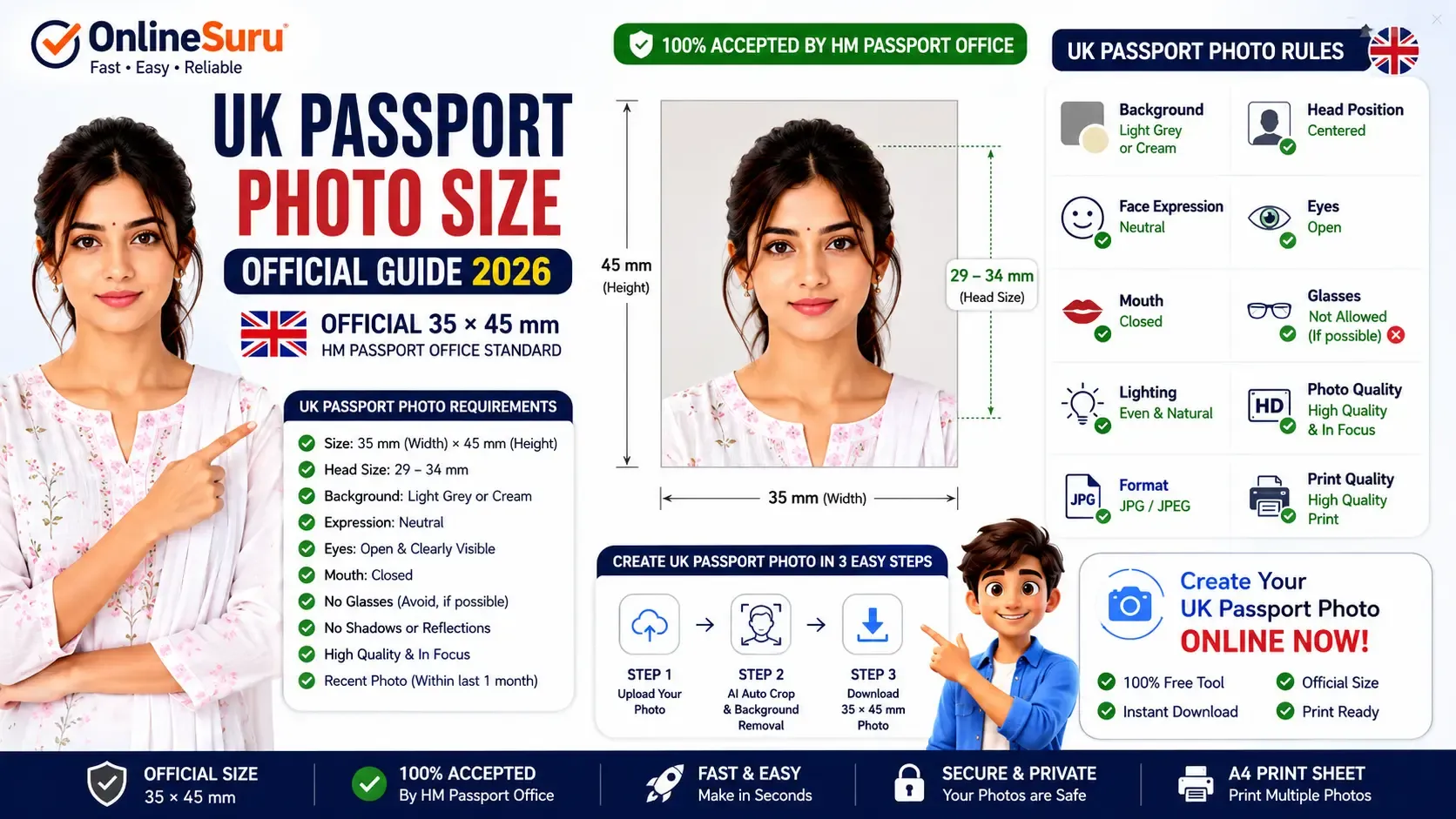
UK Passport Photo Size (2026): Official 35×45 mm Guide
Introduction
If you are applying for a United Kingdom passport, renewing an existing passport, or submitting a visa application, using the correct passport photo is essential. Even a small mistake in photo size, background colour, face position, or lighting can cause your application to be delayed or rejected.
The official printed UK passport photo size is 45 mm high × 35 mm wide. Photos must meet strict rules on head size, facial expression, lighting, and image quality set by HM Passport Office.
This complete 2026 guide explains every requirement in simple language and also shows you how to create a compliant UK passport photo online for free.
| Requirement | Official UK Standard |
|---|---|
| Photo Size | 35 × 45 mm |
| Background | Plain Light Grey or Cream |
| Head Size | 29–34 mm |
| Expression | Neutral |
| Eyes | Open |
| Glasses | Avoid |
| Resolution | 300 DPI+ |
| Format | JPG / JPEG |
| High Quality |
Quick Specifications
✔ Size: 35 × 45 mm
✔ Face straight
✔ Neutral expression
✔ Mouth closed
✔ Eyes open
✔ Light grey or cream background
✔ High quality print
✔ No filters
✔ No shadows
✔ Recent photograph (taken within the last month for UK passport guidance)
What is the Official UK Passport Photo Size?
The official printed UK passport photo size is:
Width: 35 mm
Height: 45 mm
This is the standard size accepted by HM Passport Office for printed passport applications. The photo must not simply be cropped from a larger picture
Background Requirements
Your passport photo background should be:
- Plain
- Light Grey
- Cream
- No patterns
- No shadows
- No objects
- No furniture
Avoid colorful or dark backgrounds.
Head Position Requirements
Your head should:
- Face directly toward the camera
- Stay centered
- Occupy about 29–34 mm from chin to crown
- Show full face clearly
- Leave appropriate space above the head
-
Facial Expression Rules
Accepted:
- Neutral face
- Eyes open
- Mouth closed
- Looking directly into camera
Not Accepted:
- Smiling
- Laughing
- Angry expression
- Looking sideways
- Closed eyes
-
lasses Rules
HM Passport Office recommends removing glasses. If glasses are medically necessary:
- No reflections
- Eyes fully visible
- No sunglasses
- No tinted lense
-
Lighting Requirements
Use:
- Natural lighting
- Even lighting
- No shadows
- No overexposure
- No flash reflections
-
Digital Passport Photo Requirements
For online applications:
- JPEG
- Minimum 600 × 750 pixels
- File size between 50 KB and 10 MB
- Clear and unedited
-
Common Reasons for Rejection
- Wrong photo size
- Dark background
- Smiling
- Shadows
- Glass glare
- Blurry photo
- Low resolution
- Old photo
- Face not centered
- Edited image
🇬🇧 Create Your UK Passport Photo Online
You can create a compliant UK passport photo online in just a few clicks using the OnlineSuru Passport Photo Maker.
Create UK Passport Photo NowWhy Use OnlineSuru?
- Automatic Crop
- AI Background Removal
- Official 35×45 mm Size
- Instant Download
- PDF & JPG Export
- A4 Print Sheet
- Free Online Tool
- No Registration
Frequently Asked Questions
What is UK passport photo size?
35 × 45 mm.
Is white background allowed?
Use a plain light-coloured background, commonly light grey or cream for UK printed photos.
Can I smile?
No.
Can I wear glasses?
Only if medically necessary.
Can I use my phone?
Yes.
Can I print at home?
Yes, if printed on high-quality photo paper and meeting HM Passport Office standards
Related Guides
- 🇮🇳 Passport Photo Size India
- 🇺🇸 Passport Photo Size USA
- 🇨🇦 Passport Photo Size Canada
- 🟢 Passport Photo Maker
-
Conclusion
Following the official UK passport photo requirements is essential for a successful passport or visa application. Using the correct 35 × 45 mm photo size, a plain light-coloured background, proper lighting, a neutral facial expression, and a high-quality image helps ensure your application meets the required standards and avoids unnecessary delays or photo rejections.
With the OnlineSuru Passport Photo Maker, you can create a UK-compliant passport photo in just a few clicks. The tool automatically helps you achieve the correct dimensions, clean background, high-resolution output, and print-ready layout—making it fast, accurate, and completely free to use.
IMPORTANT LINKS
| OPEN LINK | Click HereNEW |